
Working with agents
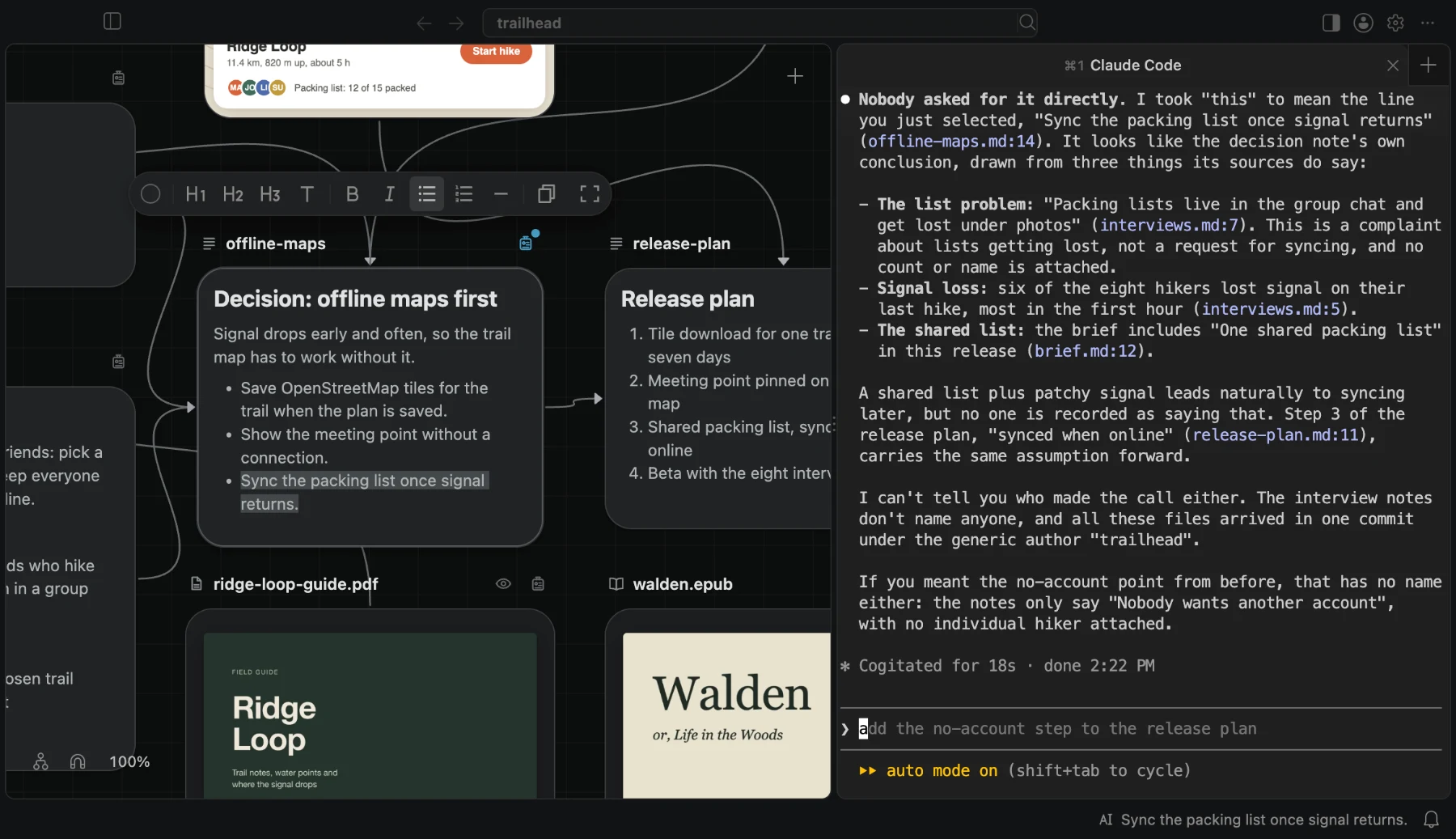
Run Claude Code, Codex, and other agents beside your canvas, give them the BaseHalf skill, and let them see what you selected.
BaseHalf is not an agent and does not contain one. It is the workspace your agents work in. Agents read and edit the same ordinary files you see on the canvas, with their own tools.
The Agent Area
The right side of the window is the Agent Area. Start a session there:
- Claude Code runs the
claudecommand-line tool. - Codex runs the
codexcommand-line tool. - Claude Code Extension and Codex Extension host each agent's VS Code extension.
- Terminal opens a shell, for OpenCode, Gemini CLI, or any other agent that runs in a terminal.
Sessions have tabs, panes, and splits, and each can be restarted, stopped, resized, and zoomed. Install the command-line agents you want to use; the Agent Area runs them.
The BaseHalf skill
An agent working in your folder needs to know where a card's description and connections are. BaseHalf tells it through a skill, the open format that Claude Code, Codex, and other agents load when a task calls for it.
When you open a folder, BaseHalf offers to install the skill, with Install, Not Now, and Don't Ask Again. The offer stays until you answer it. Installing adds a link to BaseHalf's own copy of the skill to your agents' own settings on this Mac, never to your folder:
- for Claude Code, in
~/.claude/skills/basehalf/; - for Codex and other agents that read the shared location, in
~/.agents/skills/basehalf/.
Every update of BaseHalf brings its copy up to date, so you do not install the skill again. You can also run BaseHalf: Install Agent Skill or BaseHalf: Remove Agent Skill from the Command Palette at any time.
The skill tells an agent:
- how to recognize a BaseHalf workspace, by its hidden
.bh/folder; - where a card's description is, and what flows into it and out of it;
- what moving or renaming files does to that information;
- what you selected last;
- how to make drafts and generate them;
- where to put an image or a sound it makes with its own tools.
Because it is a skill, it works for an agent you start anywhere, not only in the Agent Area. The agent decides when a task needs it.
Say "this"
You should not have to name a file to ask about it. BaseHalf records what you selected last, so an agent can tell what "this", "here", or "improve it" refers to.
| You selected | An agent sees |
|---|---|
| Nothing, on a canvas | the folder of that canvas |
| One card | that card |
| Two or more cards | every selected card |
| A card open in Card Detail, or a note you are editing with no text selected | that card |
| Text in a note, on its card or in Card Detail | the text, its note, and the lines it is on |
| Text in a PDF or a book, in Card Detail | the text, its document, and the pages or the chapter it is in |
While the skill is installed, the right end of the status bar shows what agents can see. Only selecting changes it: clicking into the Agent Area to type to an agent does not. Until you answer the offer it says "Agents can't see your selection", and a click on it shows the offer.
The record is .bh/cache/selection.yaml in your workspace folder. BaseHalf writes it only while it is open and the skill is installed, and removes it when the window closes. Git never sees it, and agents only read it. A request that names something else still wins: "improve the summary" means the summary, whatever is selected.
When files move
Agents move and rename files with their own tools, and no command is needed. BaseHalf recognizes the item at its new path by its content, and updates what it keeps and the entries that name it, whichever agent moved it and wherever it runs. Connections lists what it does not recognize.
What BaseHalf does not do
- It never puts your workspace into an agent's prompt. Agents read the files themselves.
- It does not write instructions into your
CLAUDE.mdorAGENTS.md. - Claude Code sessions started from the Agent Area receive one fixed instruction at launch. With the skill installed, it is a short pointer to the skill. Without it, it holds the same facts about
.bh/, connections, and generating. No other agent receives one. - It runs no background program. While it is open, it changes your files only for what you start and to repair what a move breaks, such as the entries that name a moved item.
Next
- Connections: the upstream lists agents read.
- AI images, video and sound: agents can make drafts and generate them too.
Connections
An upstream connection says that one item's context flows into another. Connections are saved as plain text in your folder, so agents and other tools see them too.
AI images, video and sound
Image, video, and sound cards generate from a prompt and the cards connected to them, with your own provider keys. What they make is an ordinary file in your folder.