
Copy the paths of selected cards
Select two or more cards on a BaseHalf canvas and choose Copy Paths. The workspace-relative paths are copied, one per line.
After I had found the volunteer briefing, I still needed to leave the three files for the door volunteers in one place a later shift could use. The cancelled Saturday hold was not part of that set.
On the same canvas in BaseHalf 0.7.0, I selected the three Markdown notes: room-setup.md, supply-list.md, and volunteer-briefing.md. A toolbar appeared above the set: Arrange, Duplicate, Copy Paths, and Delete. The status bar said "3 cards selected." The cancelled hold stayed unselected.
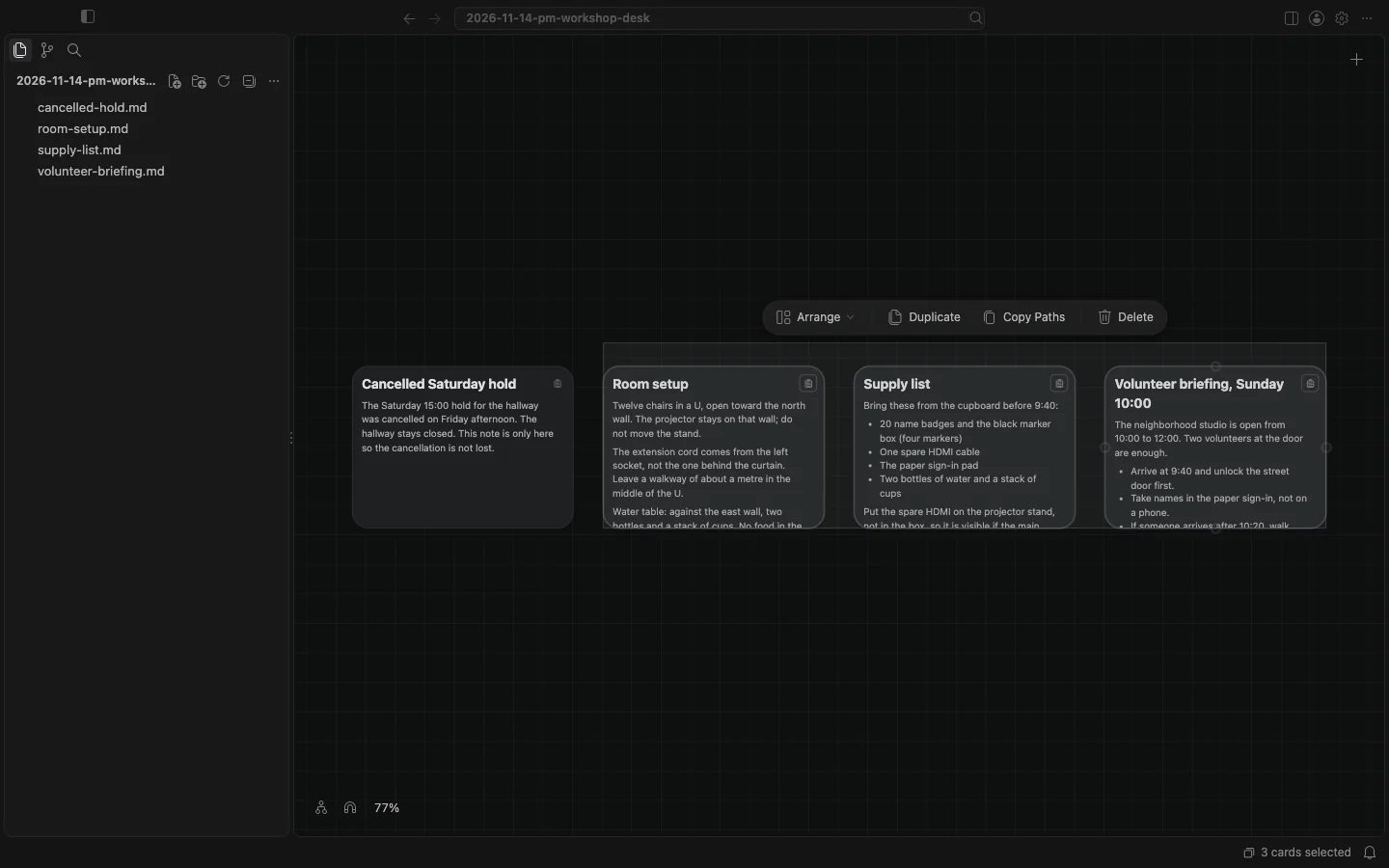
I clicked Copy Paths. The clipboard then held these workspace-relative paths, one per line, with the .md ending:
room-setup.md
supply-list.md
volunteer-briefing.md
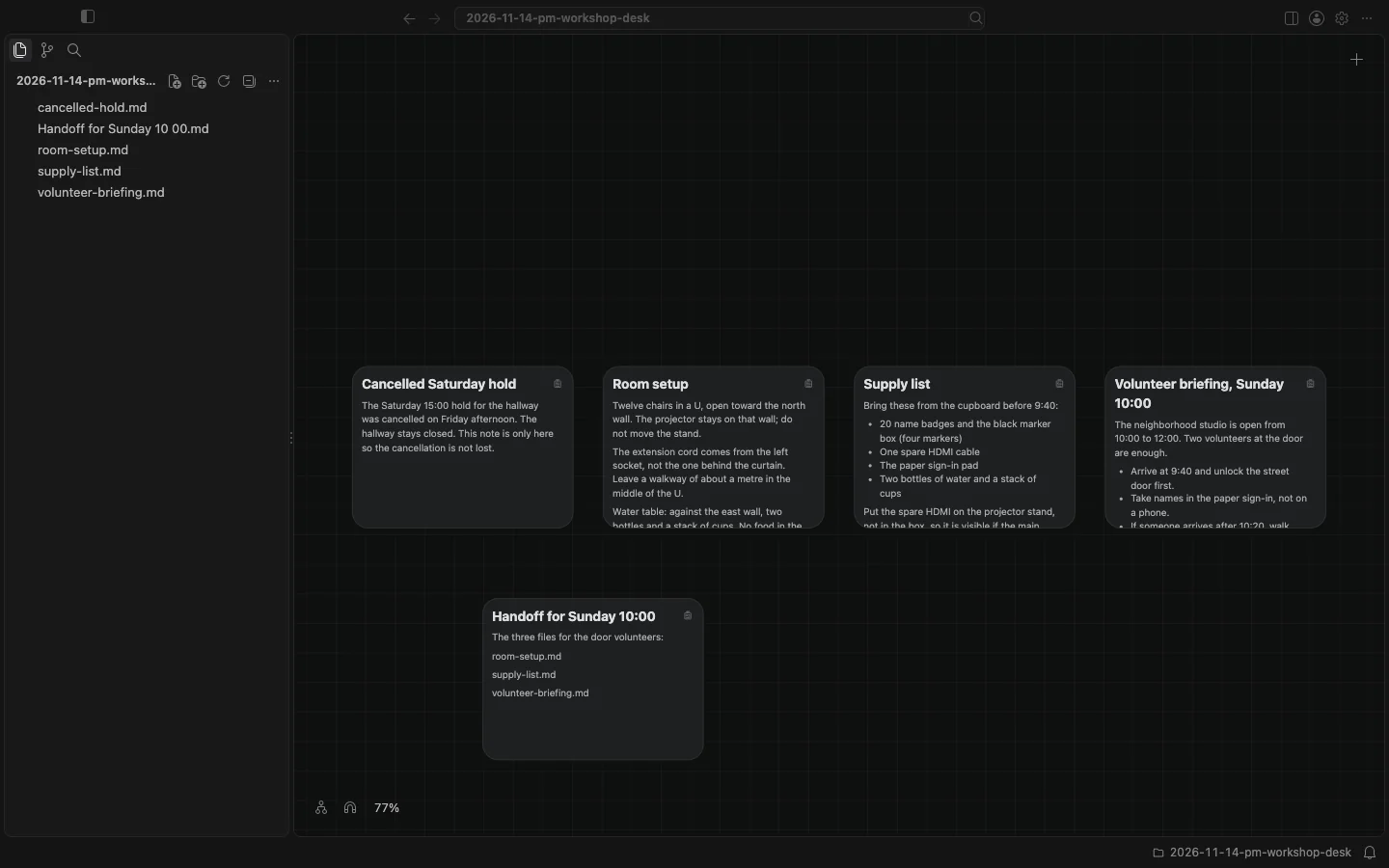
I double-clicked an empty part of the canvas, chose New Note, wrote a short heading and a line about the door volunteers, and pasted the paths into the note. I pressed Escape to finish. The note stayed on the canvas, rendered. The file in the folder was Handoff for Sunday 10 00.md. The colon in the heading is not in the file name. The card itself is titled "Handoff for Sunday 10:00", without the .md ending.
The canvas and cards docs say that two or more selected cards are a set, that a set moves as one when you drag it, and that its toolbar has Arrange (Grid, Row, or Column), Duplicate, Copy Paths, and Delete. A note is named on the card without its .md ending; other files keep their full name. Copy Paths is not the same as Duplicate, which makes new files, and it is not a Markdown link or an upstream list. The paths I copied are the workspace-relative paths of the files, which is what I pasted into the handoff note.