
Each folder opens as its own canvas
Each folder in BaseHalf is its own canvas of files and subfolders. Double-click a folder card to dive in. Large projects stay readable because build folders stay off the map and a canvas shows at most 300 cards.
Open a repository in BaseHalf and it is easy to expect one giant map: every file, every subfolder, every connection, laid out in one view. That is not how the canvas works. Each folder has a canvas of its own. The files and subfolders in that folder are the cards. The rest of the repo is one double-click away, not painted on the same surface.
That split is what keeps a large project readable. A canvas follows the folder on disk. Add a file and its card appears. Delete a file and its card goes.
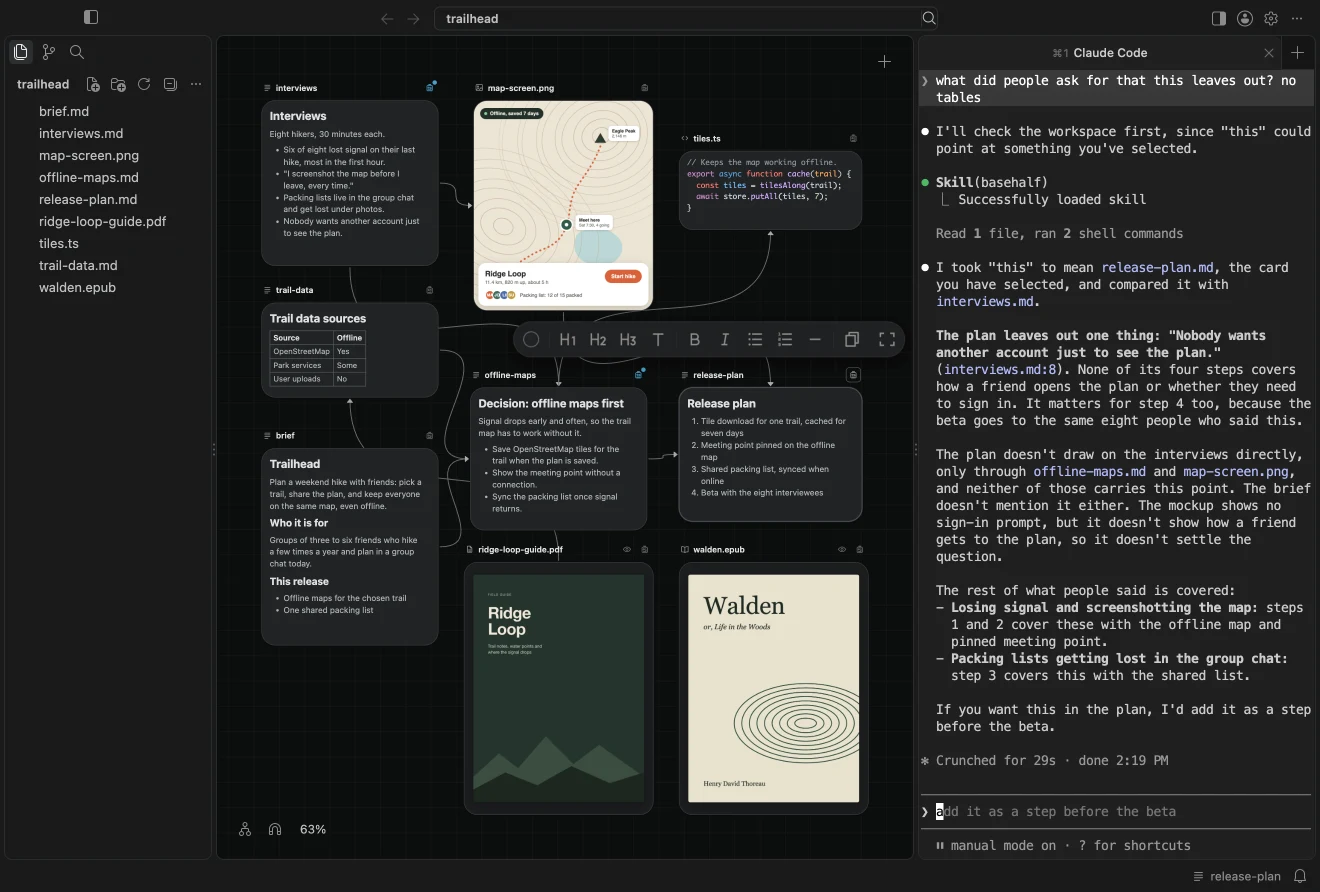
What this canvas shows, and what it leaves out
A folder card lists what that folder holds. Double-click the card anywhere but its name to open that folder's canvas. To jump without hunting through cards, use the sidebar Files or Search, the same views VS Code uses. Opening a folder from either one opens it as its canvas. Opening a file opens it in Card Detail.
The canvas also leaves things out on purpose. The canvas and cards docs spell out the same rules.
| On this folder's canvas | Left out or less visible |
|---|---|
| Files and subfolders that live in this folder | Folders such as .git, node_modules, dist, build, out, target, and vendor |
| Notes rendered on their cards; text and code showing the start of the file; images, videos, PDFs, and books in their usual card shapes | System files such as .DS_Store, and CLAUDE.md and AGENTS.md at the top of the workspace |
| Connection lines between cards that share this folder | A connection to an item in another folder: no line here, still listed and counted on the card's badge |
| At most 300 cards | Past 300, an item gets a card only if it already has a place, a description, or a connection |
Ignored folders never become cards. That is usually what you want: a node_modules tree would bury the work. Agents can still read those files with their own tools even when a file has no card.
Keep a folder's canvas focused
A practical way to work in a large repo:
- Open the folder that holds the work you are doing. Skip the workspace root when that root is a wide listing of unrelated directories.
- Put notes that belong with those files in that folder, so they sit on the same canvas and can draw visible lines.
- When a note in folder A must draw on a file in folder B, open the note's badge and use Add Upstream. The connection is real: it is saved in the note and counted on the badge. You will not see a line until both cards share a folder.
- Use sidebar Search or Files when you need to jump. You do not have to keep every related file on the current canvas.
This follows the same idea as using a local folder as the AI workspace, one level down. The repo is a folder, and each nested folder is a map of its own contents.
Limits of a per-folder map
You do not get one spatial map of the entire repo. Cross-folder context is stored and readable, but less visible, because lines are drawn only between cards in the same folder. Card places stay under .bh/ and out of git. The connections you commit can still name files anywhere in the workspace.
The 300-card cap means a huge flat folder is a poor fit. If hundreds of files sit next to each other with no nesting, most of them will not appear as cards unless they already have a place, a description, or a connection. Split work into folders when the map starts to thin out.
A canvas that follows the folder is a map of this directory. It does not replace Search or the file list. Use the canvas to see what belongs together here. Use Search when you need something that lives somewhere else.