
Leave the overflow topics on the whiteboard, and only send the in-scope slice
We planned a 25-minute first-look demo on a BaseHalf canvas, left the overflow topics visible but unconnected, and had Claude Code write a spoken rundown from only the in-scope notes.
A first-look demo has more good topics than it has minutes. The useful whiteboard move is to leave the overflow where you can see it, and to send only the slice that is actually in scope.
I was planning a 25-minute first look at opening a folder as a canvas, for people who have not used the app. They should leave knowing how a folder becomes cards, how one connection is saved in a file, and what a selection is for. The last five minutes are for questions. There is no install or account setup during the slot. If something overruns, the overflow topics get cut, not the questions.
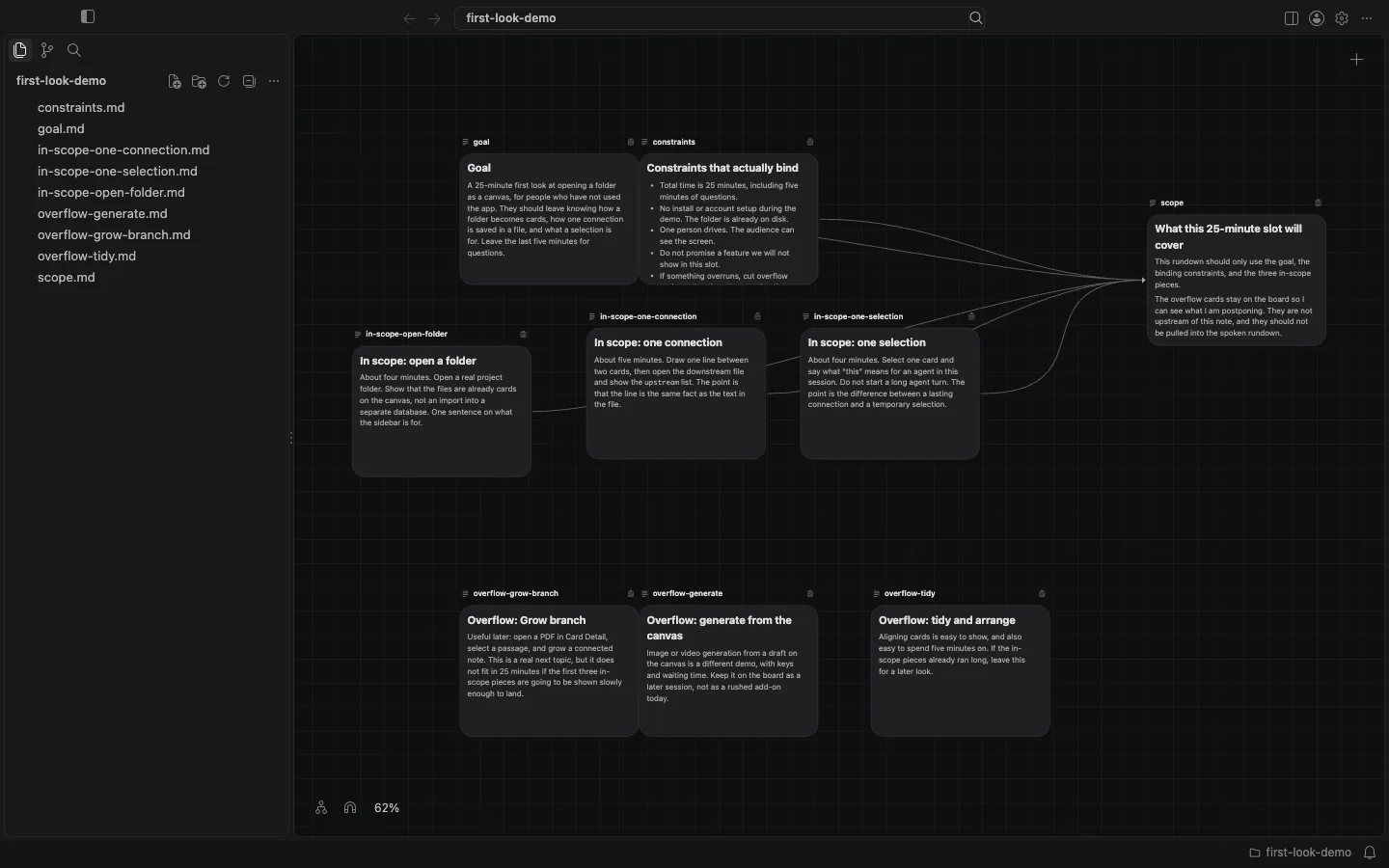
I opened a folder in BaseHalf 0.6.1 and spread the pieces as cards: the goal, the constraints that actually bind, three in-scope notes (open a folder, one connection, one selection), and three overflow notes I still wanted in view (Grow branch from a PDF, generate from the canvas, and tidy and arrange). I then wrote scope.md, the briefing for this slot, and connected only the goal, the constraints, and the three in-scope notes. The overflow cards stayed on the board, in their own row, with no line into the briefing. Sitting next to something is not the same as being its source. Card places are saved under .bh/ and stay out of git. The lines are the upstream lists in the files.
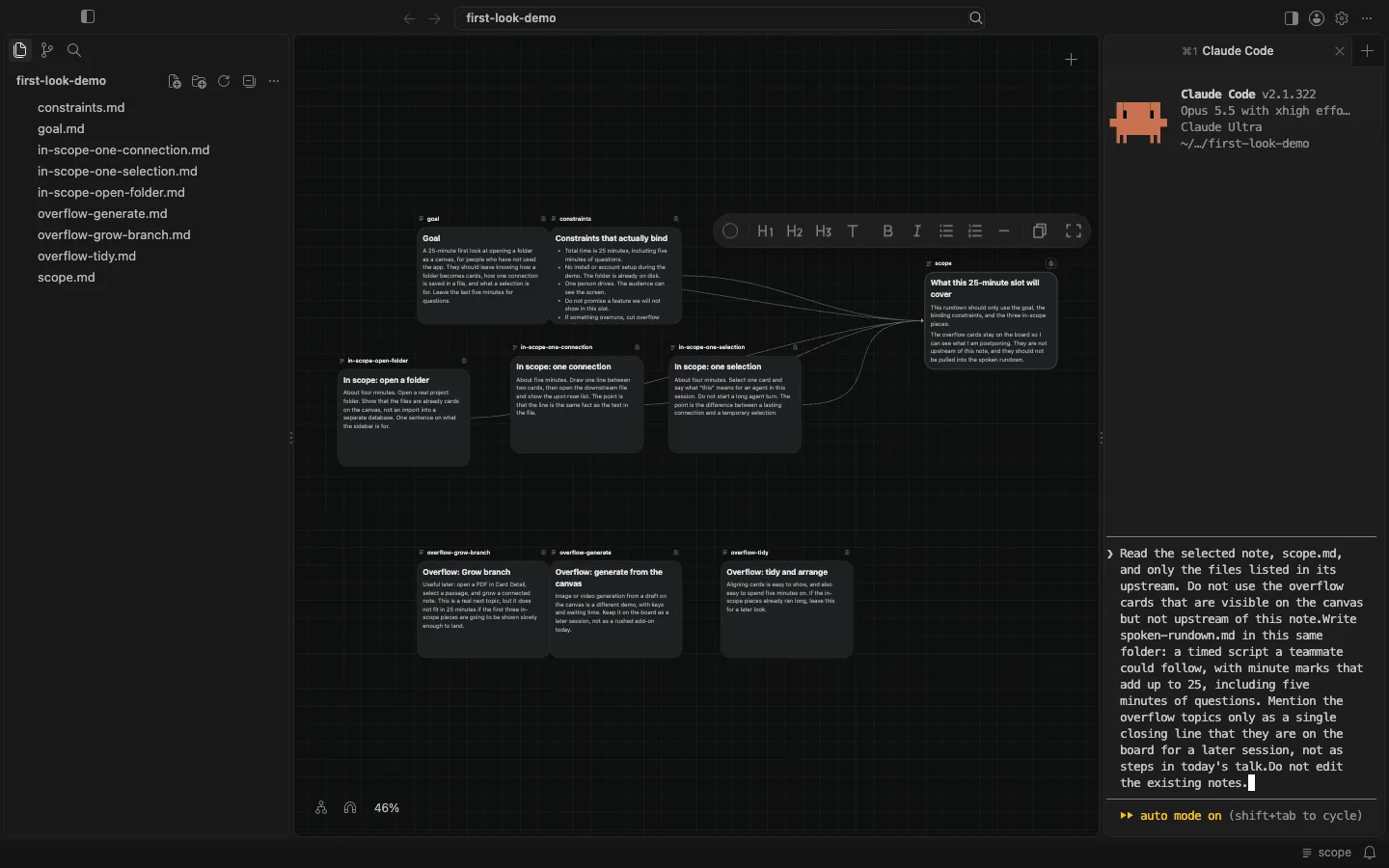
I selected the scope card. The status bar showed that agents could see scope. In the Agent Area I started Claude Code and asked it to read that note and only the files listed in its upstream, then write spoken-rundown.md in the same folder: a timed script a teammate could follow, with minute marks that add up to 25, including five minutes of questions. Overflow topics should appear only as a single closing line, that they are on the board for a later session, not as steps in today's talk. I told it not to edit the existing notes.
After 1 minute 10 seconds, at 18:28 Asia/Shanghai, the file was there. It appeared in the sidebar and as a new card on the canvas. I opened it and read it myself. The script uses the times the in-scope notes gave: two minutes of opening, four minutes to open a folder, five for one connection, four for one selection, a short recap, a two-minute buffer, and five minutes of questions. It tells the driver not to tour the sidebar, not to start a long agent turn during the selection, and never to take time from the questions. The overflow cards are mentioned once, in the closing line, and are not named as steps. Claude Code listed the directory, so it saw the overflow filenames, but it only opened scope.md and the five notes that note lists as upstream. No existing note was changed.
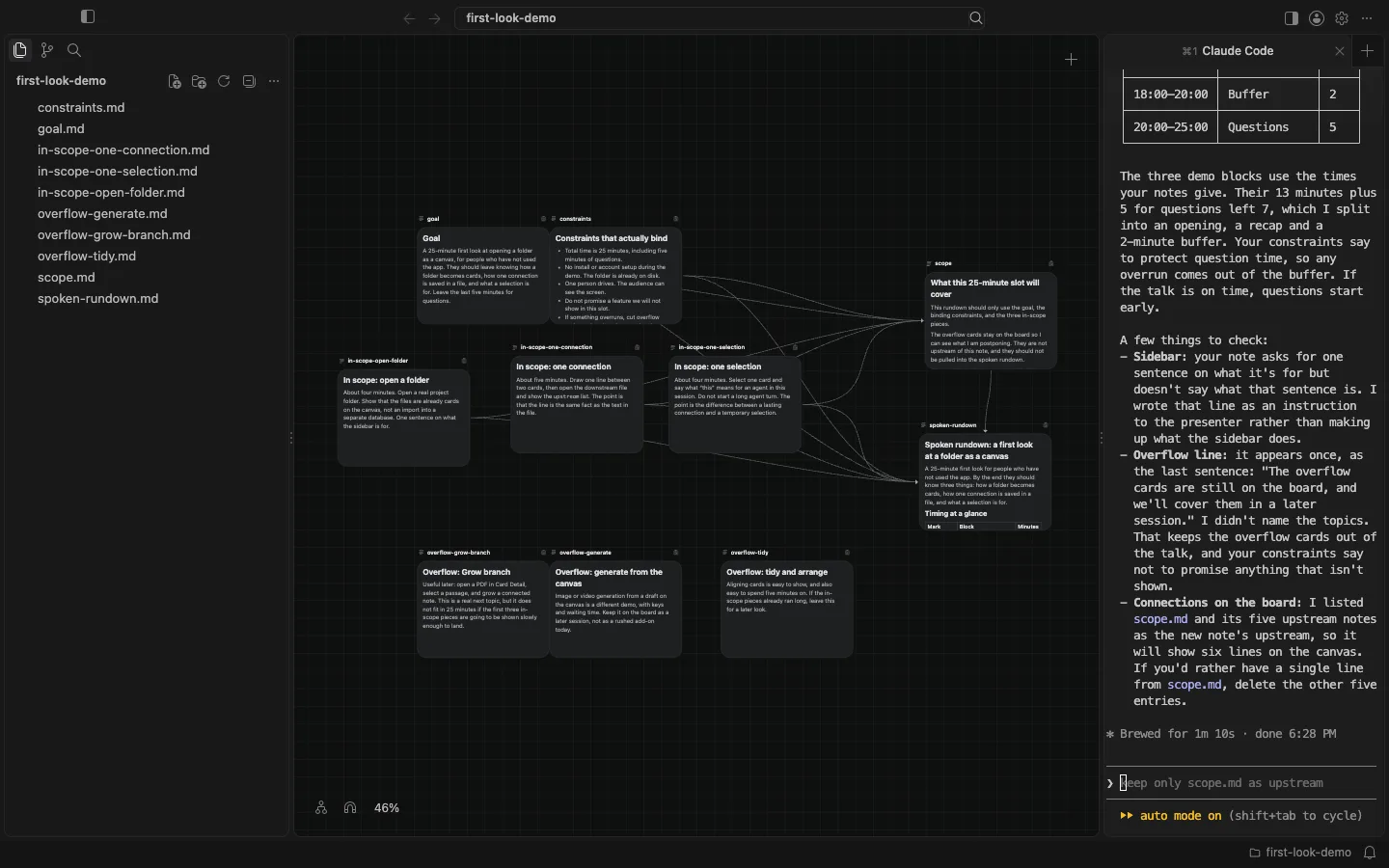
The board is still a folder of ordinary files. The overflow stays visible so I can see what I postponed. The connections record which context should stick. The agent wrote a new file into that same folder, from the in-scope slice, and I checked it. It does not decide the scope for you, and it does not hide the topics you left out. If you connect the overflow, it will treat those notes as in scope too. The useful part is that the overflow is still on the board, and the rundown is a file you can hand to a teammate after the session ends.