
Put the do-not-show list on the board, and connect it to the rundown
We planned a 30-minute internal canvas demo on a BaseHalf board, connected both the show steps and an explicit do-not-show list to the briefing, and had Claude Code write a driver rundown that keeps those prohibitions as glanceable skip lines.
A short demo is easy to derail by opening the wrong thing. Leaving a prohibition out of the script is not the same as putting it where the driver can see it while they talk.
I was planning a 30-minute Monday internal demo, from 11:00 to 11:30, Asia/Shanghai, for a teammate who has not watched a canvas session. They should leave knowing three things: how a folder opens as cards, how one connection is saved in a file, and that a new file written into the folder appears as a card. There is no install during the slot, one presenter, a 1080p display, and the example folder is already on the machine. The last five minutes are for questions. If something overruns, a show step gets cut, not the questions.
I opened a folder in BaseHalf 0.7.0 and spread the pieces as cards: the goal, the constraints, three show notes (open the folder, one connection, a new file appears), and three do-not-show notes (Settings or About, starting an agent, and the personal _shots and _user-data folders). I then wrote briefing.md and connected all of them, including the do-not-show list. Sitting next to the briefing is not enough. If the rundown is going to treat a prohibition as part of the job, that note has to be in the upstream list. Card places are saved under .bh/ and stay out of git. The lines are the upstream lists in the files.
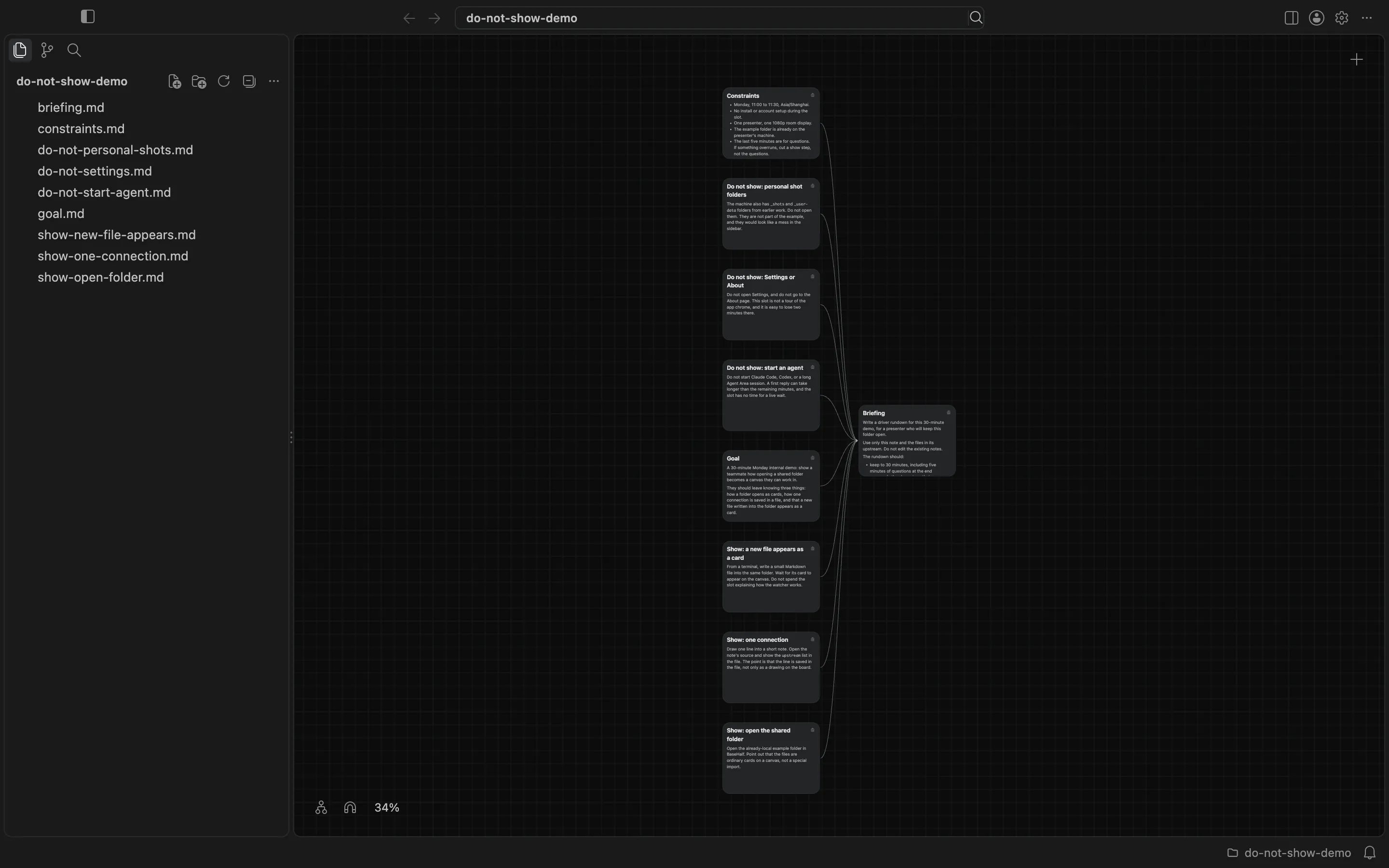
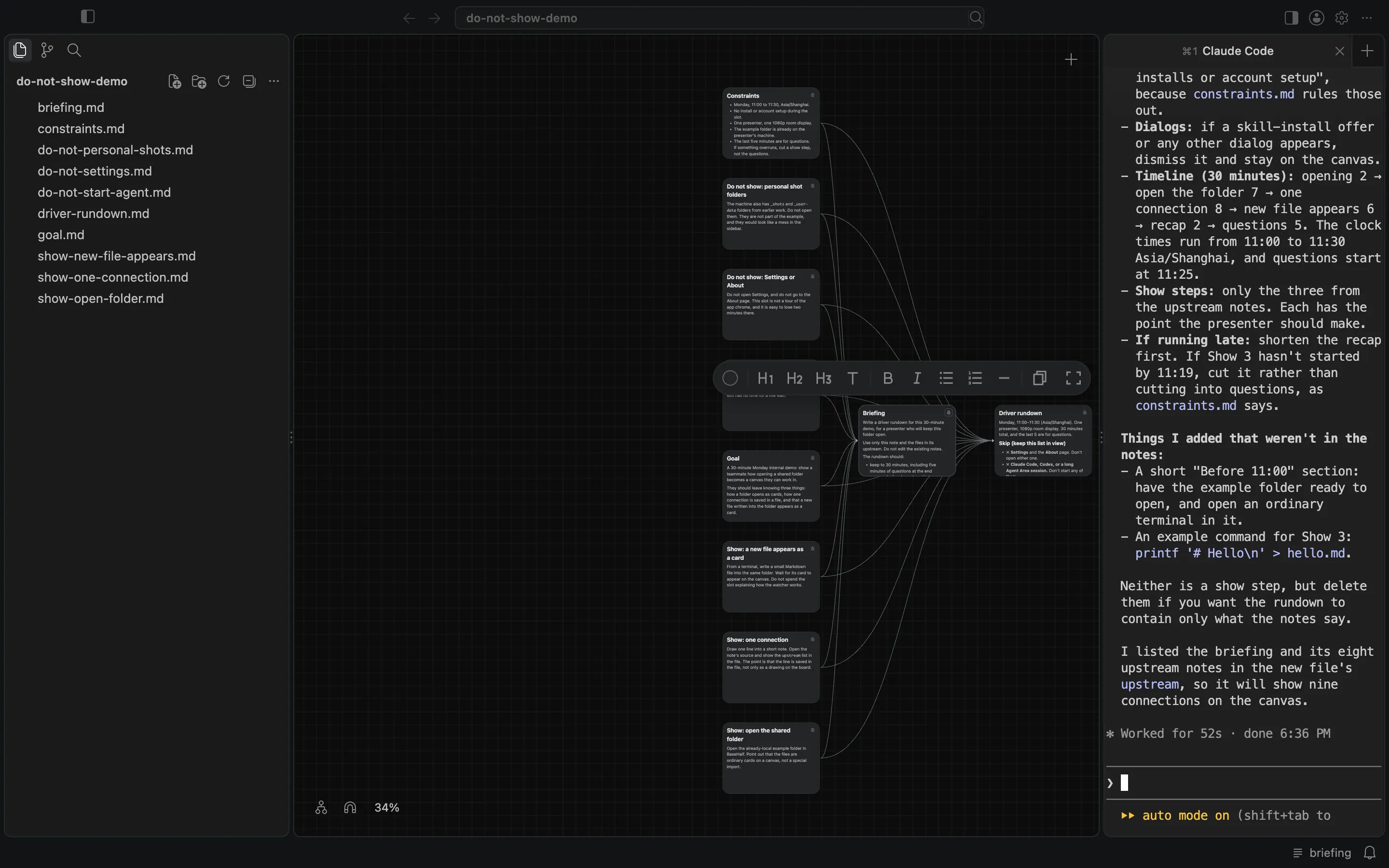
I selected the briefing card. The status bar showed that agents could see briefing. In the Agent Area I started Claude Code and asked it to read that note and only the files listed in its upstream, then follow the briefing: write driver-rundown.md in the same folder, and not edit the existing notes. The briefing asked for minute marks that add up to 30, including five minutes of questions, a glanceable skip list for the do-not-show items, and a line about dismissing a skill-install offer or any other dialog and staying on the canvas.
After 52 seconds, at 18:36 Asia/Shanghai, the file was there. It appeared in the sidebar and as a new card on the canvas, already connected. I opened it and read it myself.
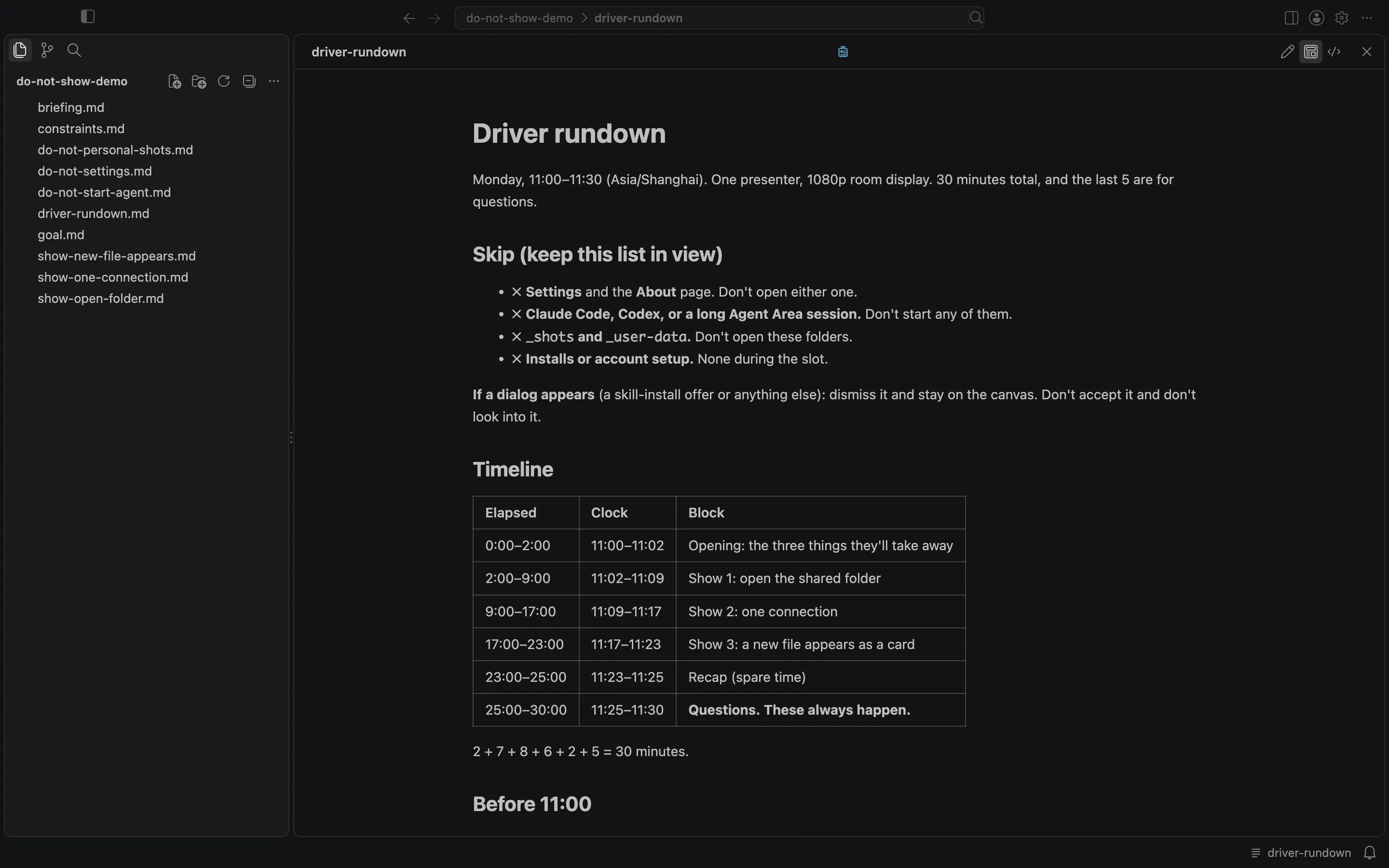
At the top of the rundown is a short "Skip (keep this list in view)" list: Settings and About, Claude Code or a long Agent Area session, the _shots and _user-data folders, and any install or account setup. Under that is the dialog line. The timeline uses only the three show steps, plus a short opening, a spare recap, and questions that "always happen," and the minutes add up to 30. It says to start questions at 11:25 even if a show step is unfinished, and to cut the recap or Show 3 before touching the questions. No existing note was changed.
The board is still a folder of ordinary files. The do-not-show notes stay on the board, and they are connected, so the rundown has to treat them as part of the job, not as something it can omit and hope the driver remembers. The agent wrote a new file into that same folder. It does not invent the prohibitions for you. If you leave those notes unconnected, they are only scenery. If you connect them, they can show up as skip lines the driver can actually glance at.