
Add upstream or downstream from a card's badge
Every BaseHalf card but a draft has a badge. Open it to write a one-line description, add or remove upstream and downstream, and connect an item in another folder that has no line on this canvas.
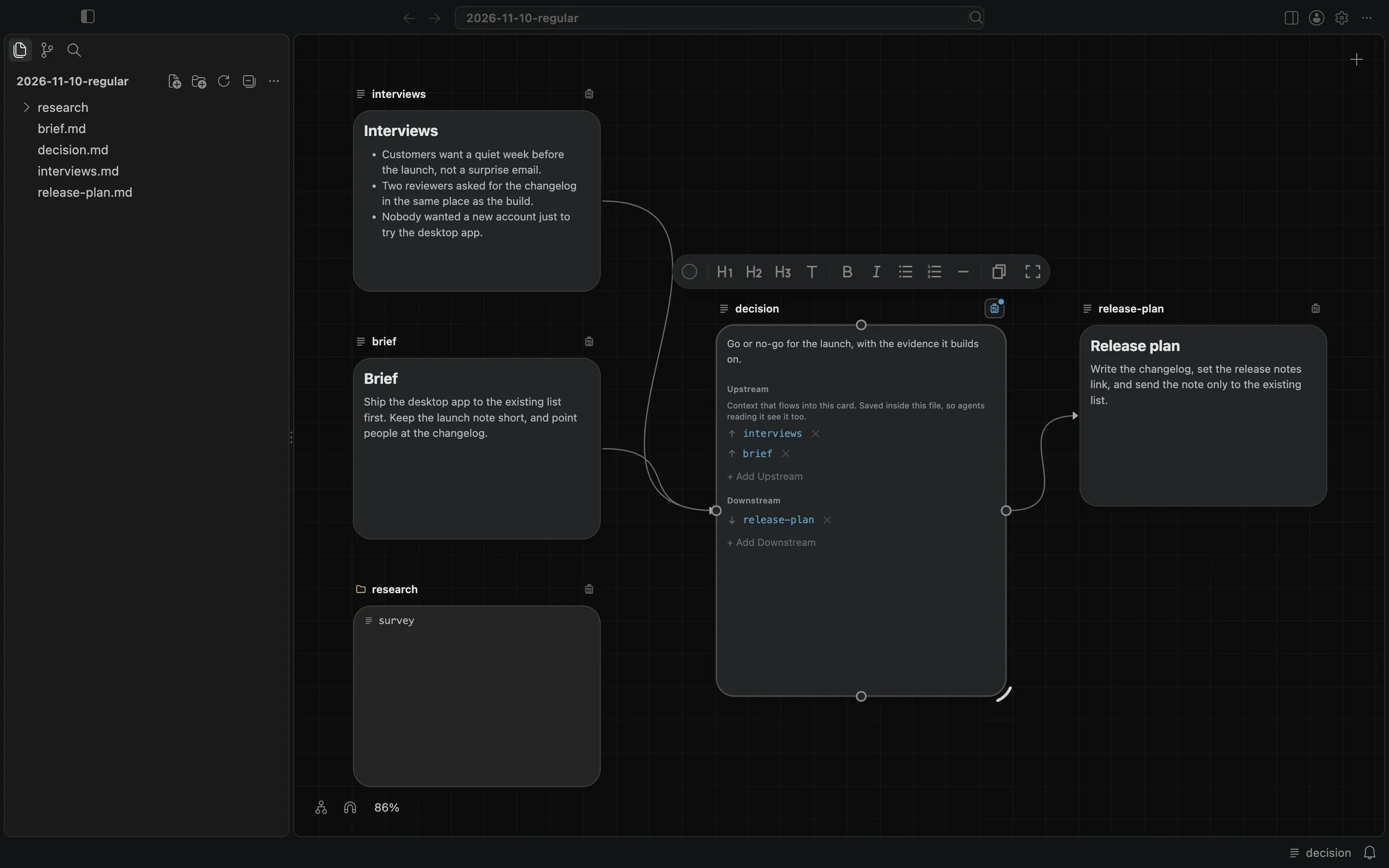
Every card but a draft has a badge. It turns the card over to show a one-line description of the item, its Upstream list, and its Downstream list.
Open the badge
Each card has a badge toggle on its caption. Pointing at it shows the counts, for example "↑2 upstream · ↓1 downstream". Click the toggle to open the badge. Click it again, and you are back at the preview.
What you can change
The description is one line about the file or folder.
Upstream is the items whose context flows into this card. Add Upstream opens a picker for the card, with the prompt "Choose what flows into this card", and lets you pick any item in the workspace. × removes one.
Downstream is the items that draw on this card. Add Downstream adds this card to another item's upstream list.
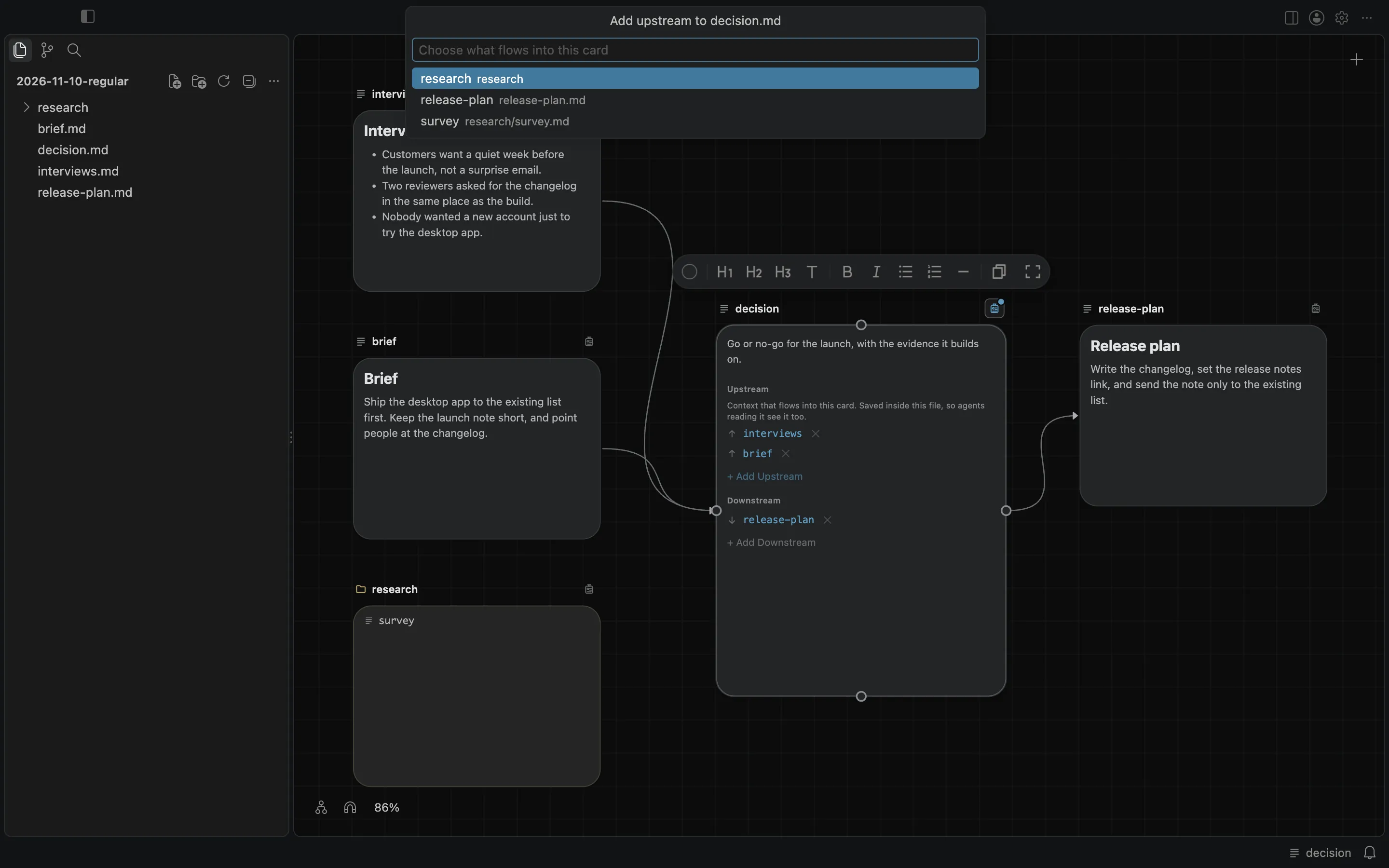
On a Markdown note, the list is saved inside the file, in an upstream list at the top, so an agent that opens the note sees it too. A folder, a PDF, an image, a video, or any other file that cannot hold a list itself has its list kept by BaseHalf, in .bh/mirror/<path>/upstream.yaml.
A connection in another folder has no line
Lines are drawn between cards in the same folder. A connection to an item in another folder has no line, but it is listed in the card's badge and counted there.
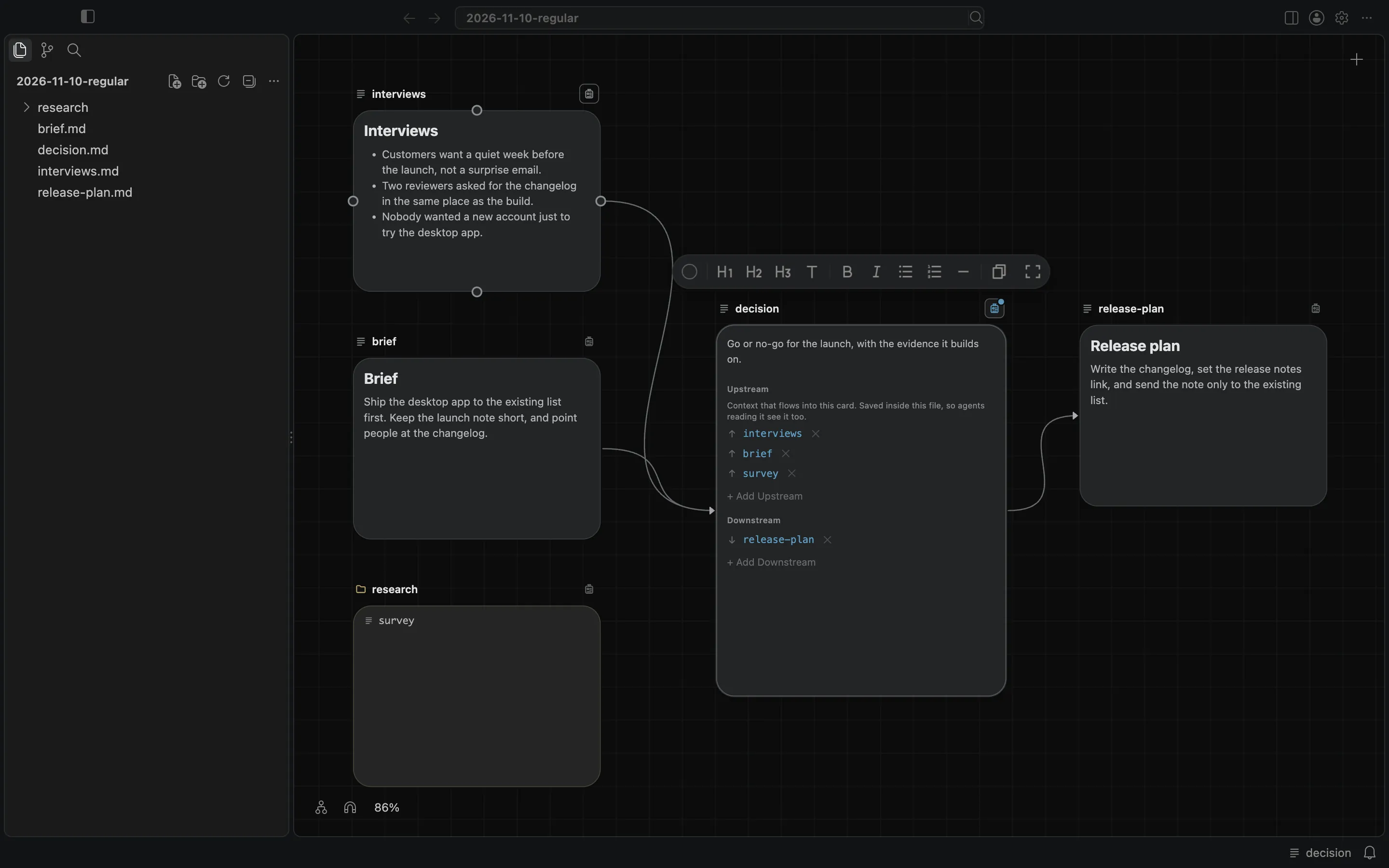
In this folder, survey lives inside research, so it has no card of its own on this canvas. After it is added as upstream of decision, the badge lists it, and no new line is drawn.
You can still drag from a handle onto another card on the same canvas, or drop a handle onto empty canvas to create something that already lists the source as its upstream.
The connections docs describe the badge, the lists, and where they are saved.