
Drop a connection onto empty canvas to create a connected note
Drag a BaseHalf connection handle onto an empty part of the canvas to create a note, or an image, video, or sound draft, that already lists the source card as its upstream.
Every card has four connection handles, one in the middle of each side. They appear when you point at the card.
Drag from a handle onto another card, and the card you start from becomes upstream of the card you drop on. Drop on an empty part of the canvas instead, and you create something new that already builds on the card you started from.
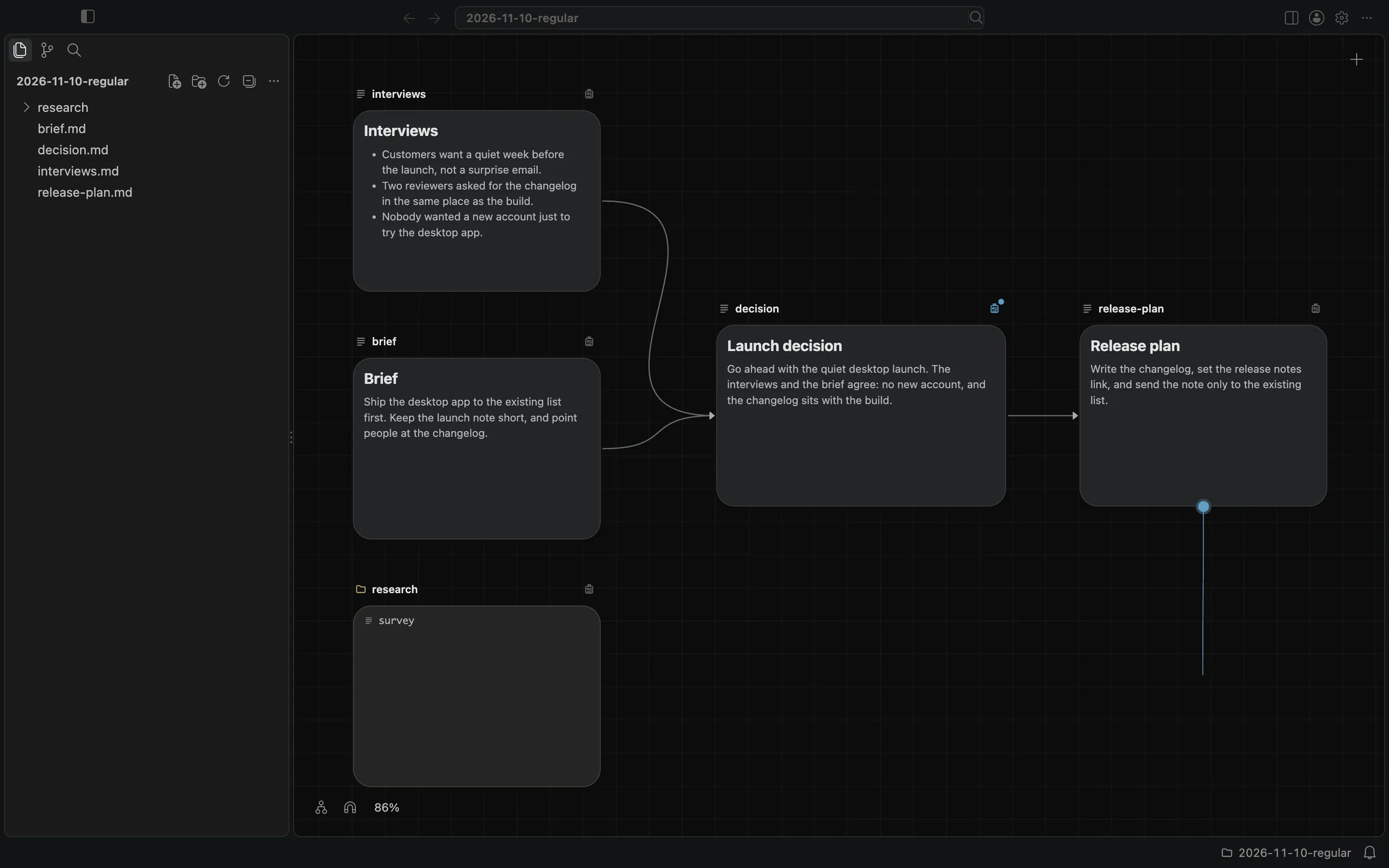
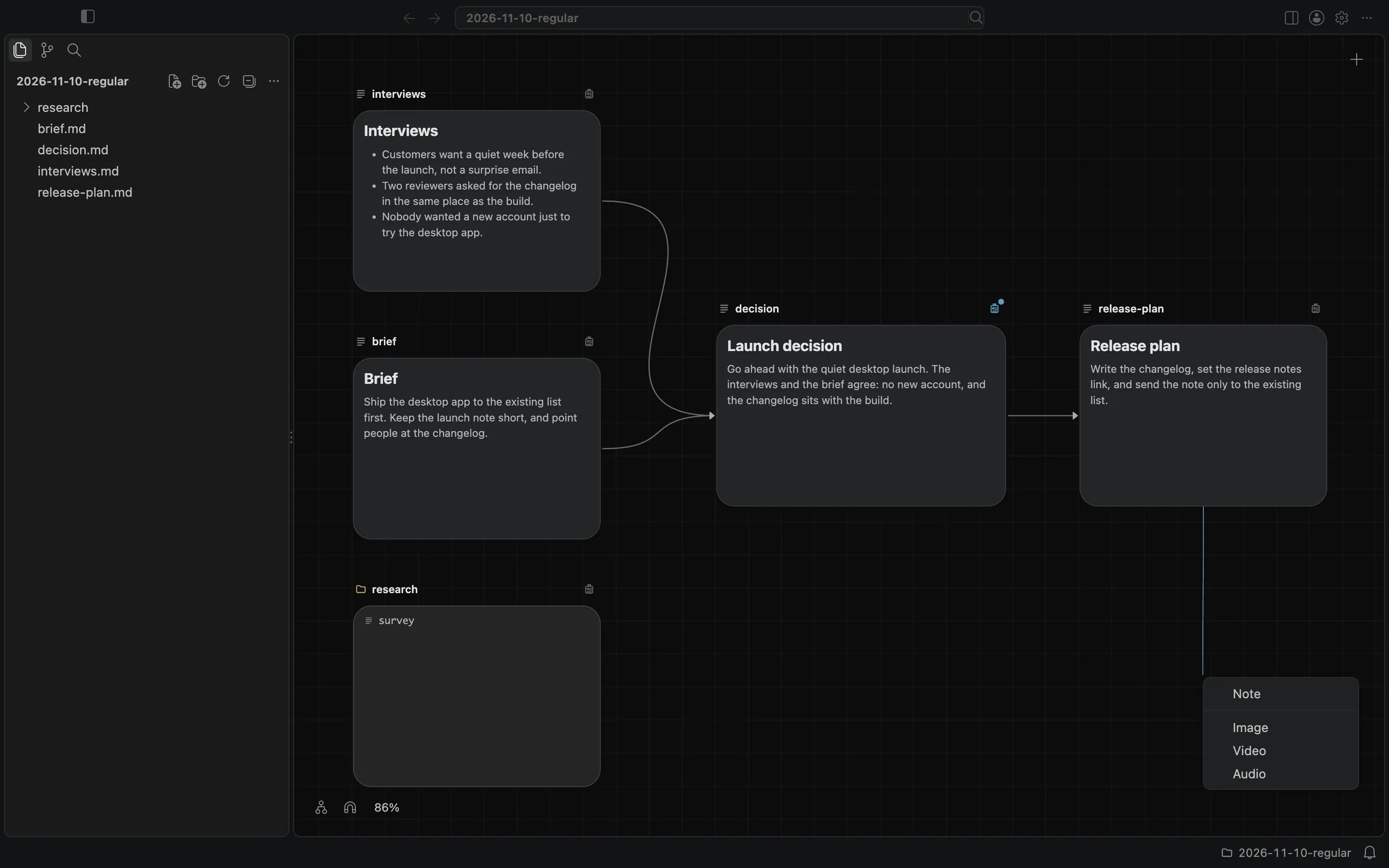
Choose what to create
At the point where you release the line, a menu offers Note, Image, Video, or Audio. Closing the menu writes nothing.
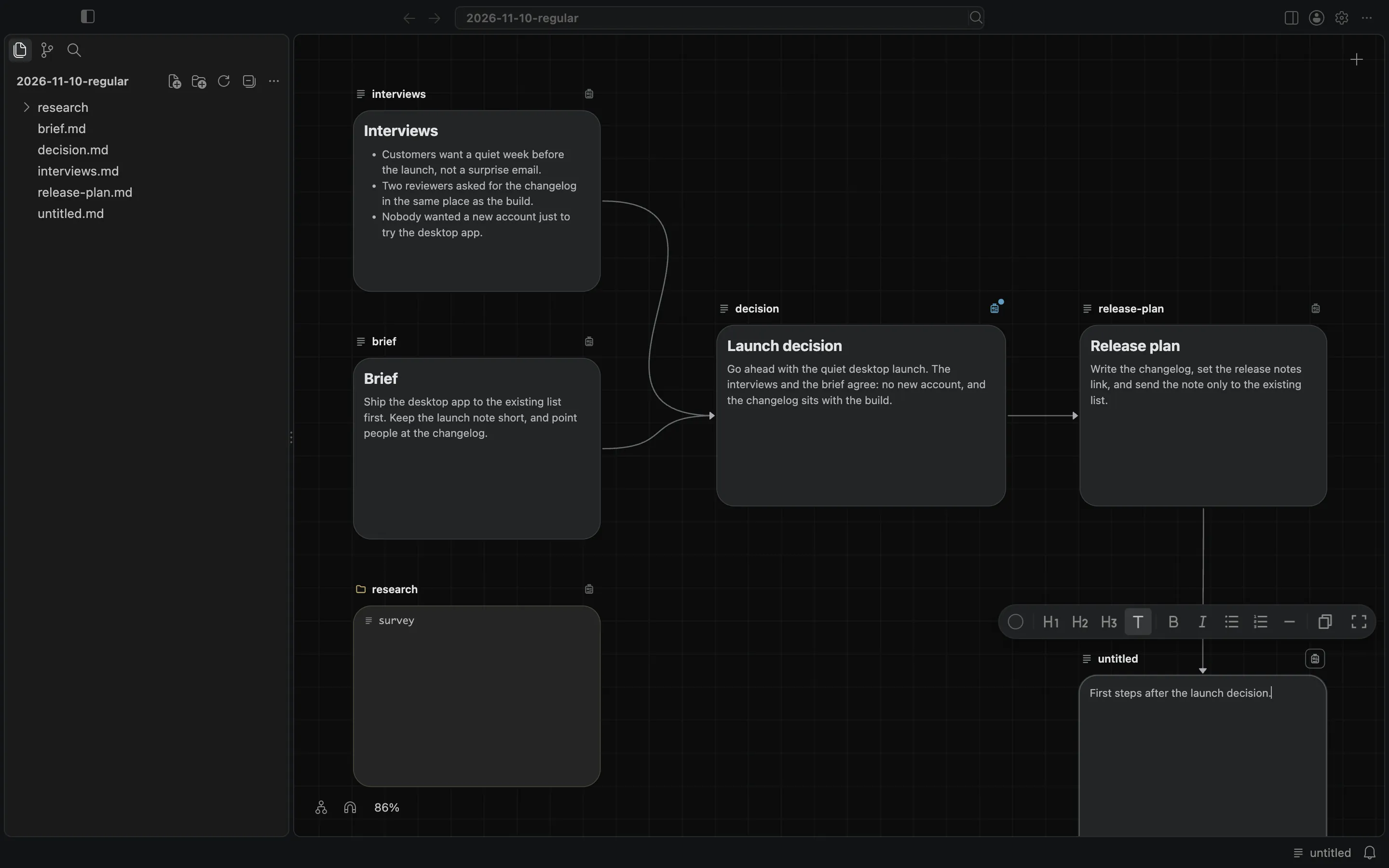
A new note is already connected
Choose Note, and an untitled note appears where you released the line. From the moment it exists, it lists the source card as its upstream, in the frontmatter at the top of the file. The note opens for typing.
Choose Image, Video, or Audio and you get a draft of that kind instead. The source card is its first input, kept in .bh/mirror/<path>/upstream.yaml before the draft's file exists. The draft is selected, and its panel opens with the prompt ready for typing.
Undo
Creating the connected item can be undone, like the other ways of making a connection on the canvas.
This is the way to start a note, or a draft, that already has its first upstream. To add an existing item, use the badge or drag a handle onto its card. The connections docs describe both.