
Grow a note from a passage in a PDF or book
Open a PDF or book in Card Detail, select a passage, and choose Grow branch. BaseHalf creates a note already connected to that document, so git and your agents can see what the note builds on.
A PDF or an EPUB often holds the fact you need, while the note you are writing sits somewhere else. Copying a sentence into a new file is easy. Keeping a durable link from that note back to the document is the part that usually falls apart.
In BaseHalf, PDFs and books live on the same canvas as your notes. Open one in Card Detail, select a passage, and choose Grow branch. You get a note that already lists the document as upstream.
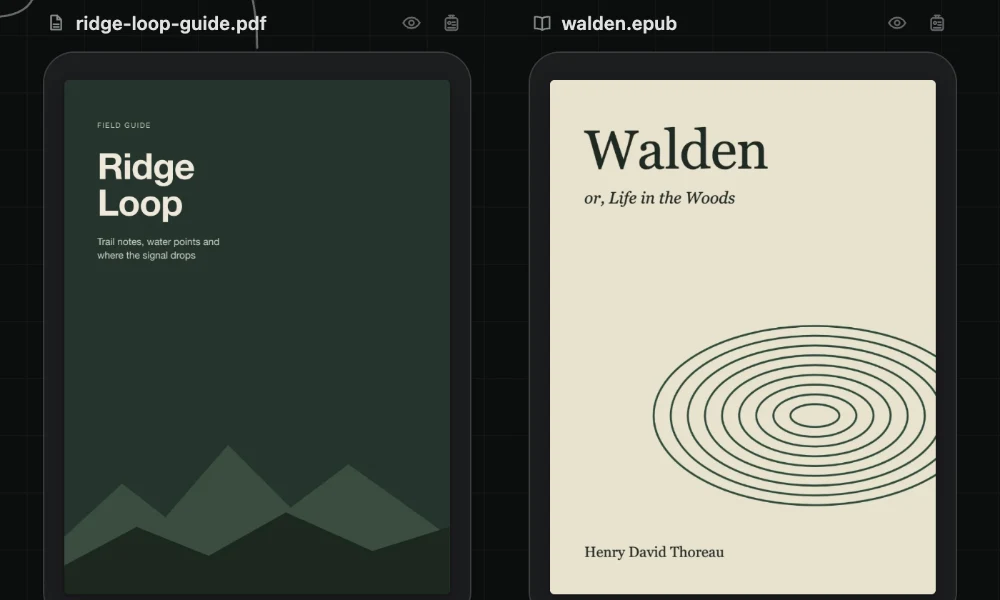
What counts as a book, and how the card looks
A PDF card and a book card show their cover at one size. A button on the caption hides the cover. Books here means EPUB, Kindle, FictionBook, and comic book archives. They sit next to Markdown notes and code files as ordinary files in the folder.
Double-click the card anywhere but its name to read it in Card Detail. Card Detail fills the canvas area, with the sidebar and the Agent Area still beside it. Escape closes it.
| Kind | What the reader gives you |
|---|---|
| Thumbnails, an outline, search, and zoom | |
| Book | Pages or one continuous scroll, contents, search, text size, and the place where you stopped |
You read in Card Detail, then return to the map. The document card stays one size on the canvas so a cover does not swallow the surrounding notes.
Grow a note that already has an upstream
- Open the PDF or book in Card Detail.
- Select the passage you care about.
- Choose Grow branch.
- A note appears, already connected to that document.
The connection means the document's context flows into the note. The document is upstream of the note. For a Markdown note, that list is written in the note's frontmatter under upstream:, as a path relative to the workspace folder. Git can diff it. An agent that opens the note can see what it builds on.
This is the same storage model as any other connection: saved once, inside the downstream item. A connection is stored like an import covers where the list lives. Highlighting text, or adding a Markdown link inside the note, does not create this relationship. A Markdown link is not an upstream connection.
Write in the new note what should compound from that passage: a claim you will cite, a constraint, a question the document raised. The PDF or book stays the source. The note is the file later sessions will keep opening.
When to grow a note, and when to only select
Selecting text in a PDF or book also feeds a one-off ask. While the BaseHalf skill is installed, the current selection is what Claude Code or Codex treat as “this”: the text, its document, and the pages or the chapter it is in. That record lives in .bh/cache/selection.yaml only while the window is open. Git never sees it.
| Move | What you get | How long it lasts |
|---|---|---|
| Grow branch | A note whose upstream list names the document | Until you edit or remove the connection |
| Select a passage and ask about “this” | The agent sees the text, the document, and the pages or chapter | Only while this window is open |
Grow a note when the excerpt should keep feeding later work. Select and ask when you only need one answer about the lines under your cursor. Connect what should stick; select what is for this ask is the same split, applied here to documents.
Limits
Grow branch is a reader action inside Card Detail for PDFs and books. It does not run from the small cover on the canvas. Other files open in Card Detail to be edited, not through this grow path.
A connection to a document in another folder still counts on the card's badge, even when you cannot see a line on this canvas. Agents read the files themselves. BaseHalf never dumps the PDF or book into a prompt.
The canvas and cards docs describe Grow branch and the readers. The connections docs describe how the upstream entry is saved.