
Write the decision back onto the AI whiteboard
We laid out a 45-minute interview choice on a BaseHalf canvas, connected only the constraints that should stick, and had Claude Code write the plan as a new file in the same folder.
A useful whiteboard is not only a picture of the options. After you choose, the decision should land in the same folder, as a file you and an agent can keep working on.
I had a 45-minute first interview to plan: one person who already uses a local notes app and is considering a switch, and a rundown a teammate could still run if I could not be there. We did not have recording consent yet. By the end of the day, someone who was not in the room should be able to use the notes.
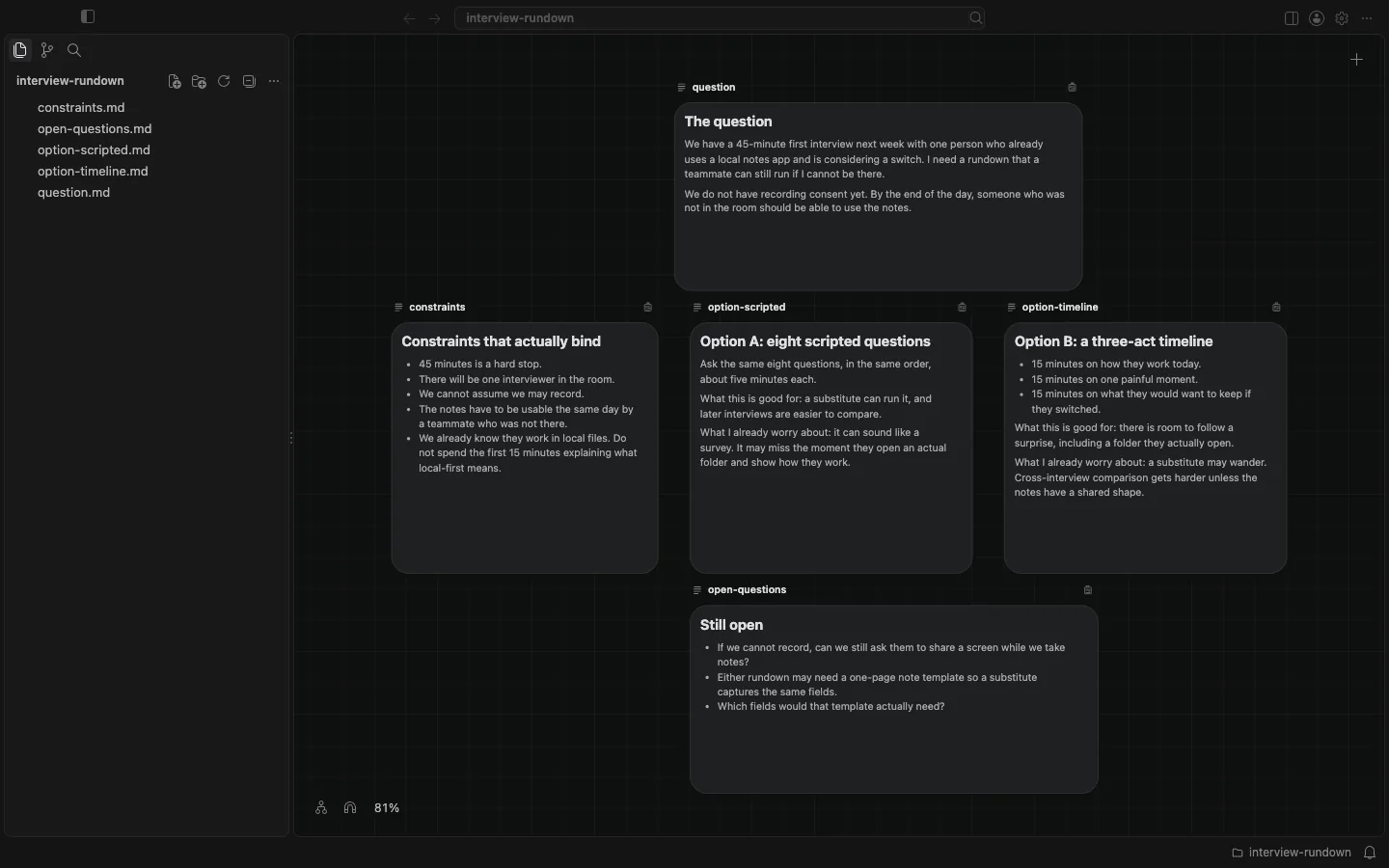
I opened a folder in BaseHalf 0.6.0 and spread the pieces as cards: the question, the constraints that actually bind, two rundowns, and what was still open. Option A was eight scripted questions in a fixed order. Option B was a three-act timeline: how they work today, one painful moment, and what they would want to keep. At this point the cards were only arranged in space. No lines yet. That arrangement is for comparing with your eyes. Card places are saved under .bh/ and stay out of git.
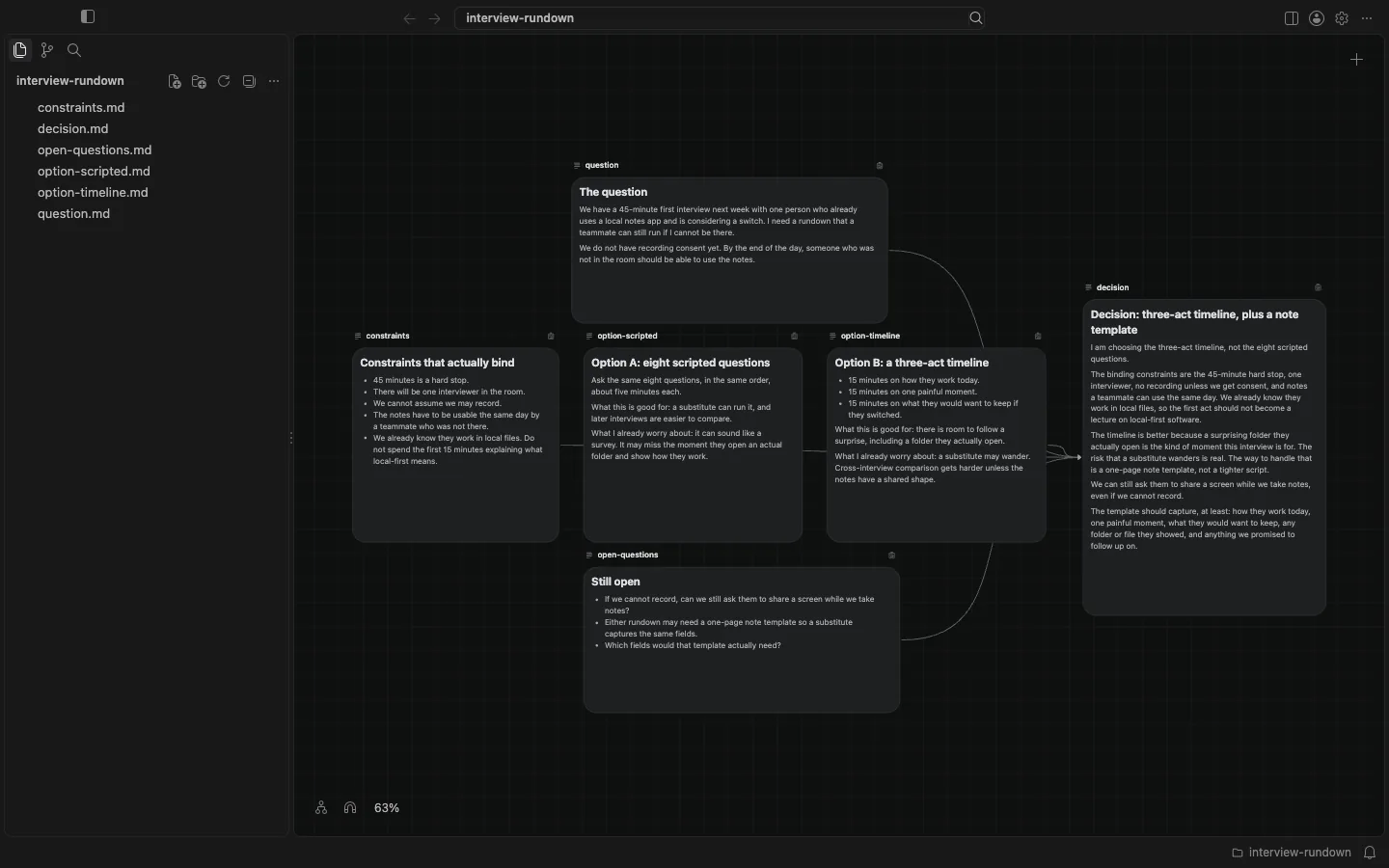
I then wrote a decision note. I chose the three-act timeline, not the scripted list, and I added a one-page note template so a substitute would still capture the same fields. We can ask them to share a screen while we take notes, even if we cannot record. I connected only the cards that should feed that decision: the question, the constraints, the timeline option, and the open questions. The scripted option stayed on the board, in the same row, with no line into the decision. Sitting next to something is not the same as being its source.
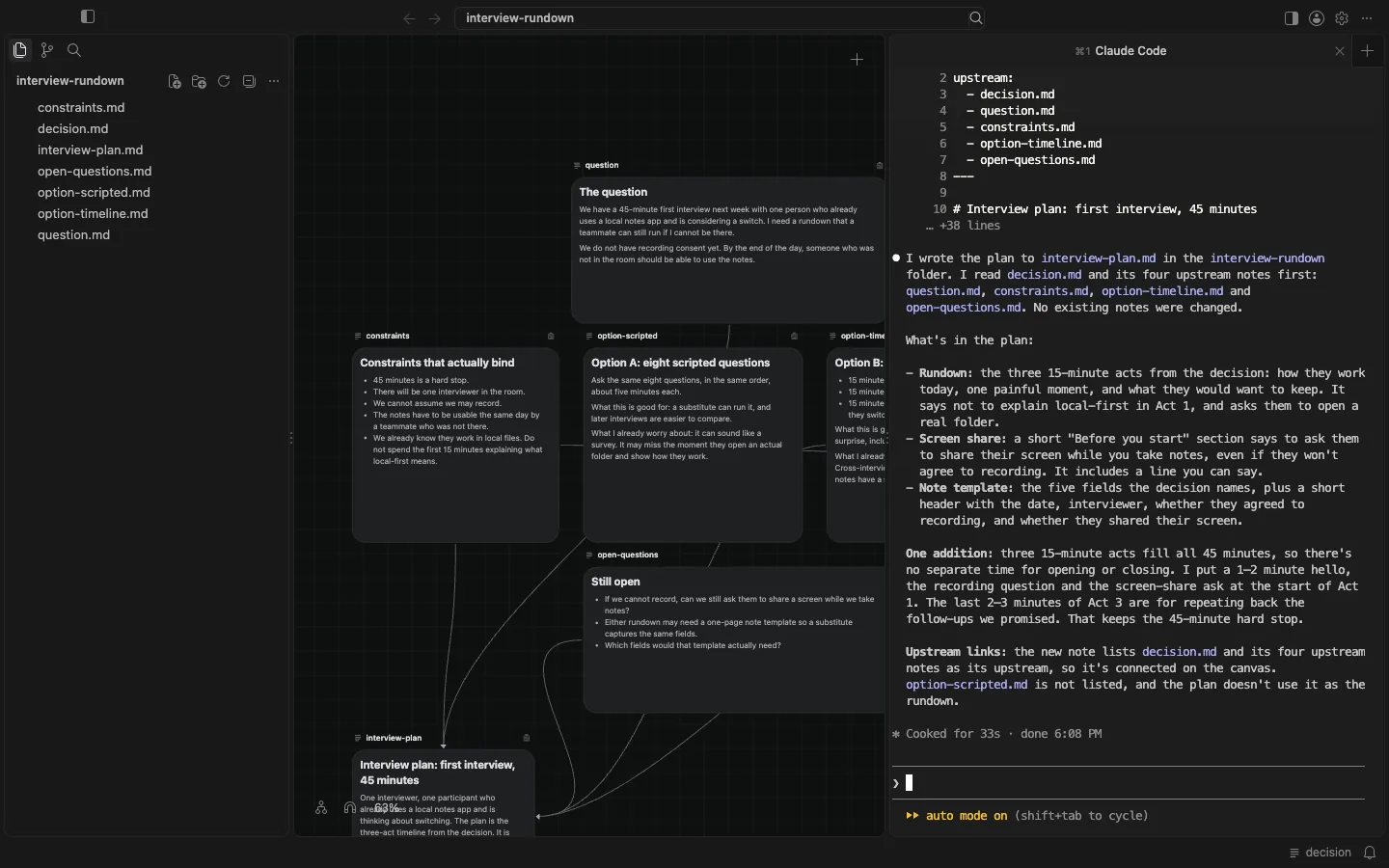
I selected the decision card. The status bar showed that agents could see decision. In the Agent Area I started Claude Code and asked it to read the files listed as upstream of that decision, then write a one-page interview-plan.md in the same folder, including the 45-minute rundown, the template fields, and the screen-share note. I told it not to treat the scripted option as the chosen rundown, and not to overwrite the notes already in the folder.
After 33 seconds, at 18:08 Asia/Shanghai, the file was there. It appeared in the sidebar and as a new card on the canvas, already listing the decision and those same upstream files. It did not list option-scripted.md. I opened the file and read it myself. The plan uses three 15-minute acts, starts by asking for consent and a screen share, does not spend the first act explaining local-first software, and includes a template with the fields I had named: how they work today, one painful moment, what they would want to keep, any folder or file they showed, and follow-ups we promised. That matches the decision I had written. No existing note was changed.
The board is still a folder of ordinary files. The layout helped me compare. The connections recorded which context should stick. The agent wrote a new file into that same folder, and I checked it against the decision. It does not invent the choice, score the options, or turn the canvas into a shared online whiteboard. If the constraints are wrong, a neat plan will still be wrong. The useful part is that the decision and the plan stayed on the board, in files, after the session ended.