Choose an AI workspace
Decide when to use chat, documents, folders, or a Map-based workspace.
By BaseHalf
Different AI interfaces are good at different moments. A chat box, a document, a folder, and a Map are not interchangeable. Each one makes a different assumption about the work.
Chat assumes the work is a conversation. A document assumes the work is a linear artifact. A folder assumes the work is storage. A Map assumes the work is a set of connected objects that may keep changing.
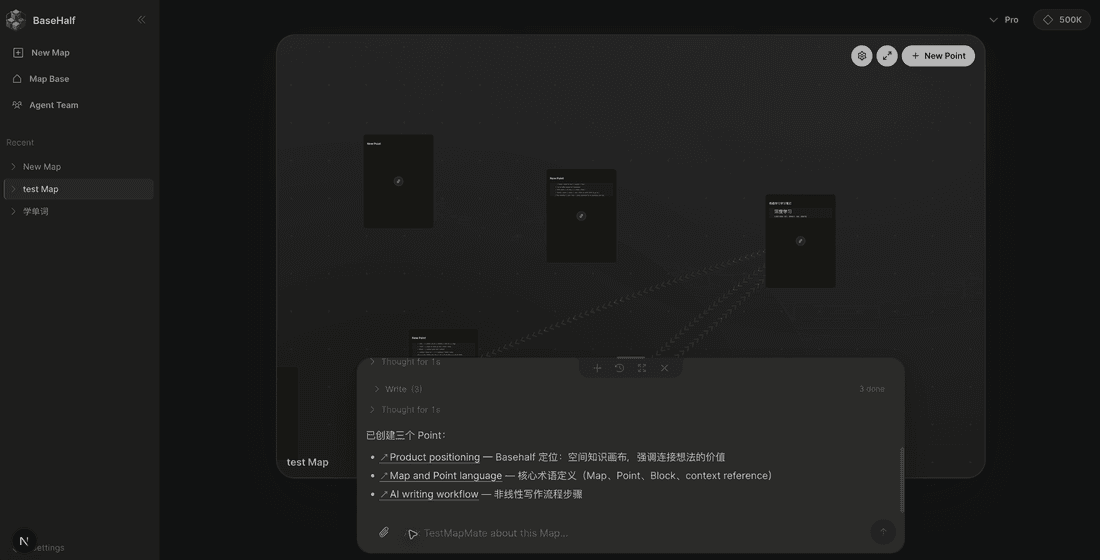
BaseHalf is useful when the work has structure that should remain visible.
Evaluate the workspace with one real project
Do not choose an AI workspace from a feature checklist alone. Test it with a project that already has friction: several sources, one unresolved decision, a draft, and follow-up work that will continue next week.
During the test, check whether you can:
- locate the source behind an important claim
- see which decision changed the plan
- revise one piece without rewriting the whole project
- give a teammate enough context to continue
- reuse selected context in a new AI request
- export or preserve the work in a form you control
A workspace is valuable when it reduces the cost of returning to work, not only the cost of generating the first answer.
Use chat for fast exploration
Use a general AI chat when you need speed:
- ask a first question
- test a phrase
- brainstorm alternatives
- summarize a short passage
- rewrite one paragraph
- debug a small idea
Chat is often the right starting point because it has almost no setup cost. You can ask and react quickly.
The weakness appears when the conversation becomes the only place where the work exists. Decisions, sources, and next steps become hard to separate from the back-and-forth.
Use documents for final shape
Use a document when the main goal is a finished artifact:
- memo
- proposal
- essay
- report
- lesson plan
- product brief
Documents are excellent for reading order and polish. They are weaker when the artifact depends on many upstream pieces of context that still need to be revised.
If a document keeps collecting comments, source snippets, decisions, and unresolved questions, it may be doing too many jobs.
Use folders for storage
Use folders when the question is: where should this file live?
Folders are good for collecting files by project, team, date, or type. They are less useful for showing why things matter to each other.
A folder can tell you that two files are in the same project. It usually cannot tell you that one decision should constrain one draft, or that one source passage should inform three follow-up tasks.
Use BaseHalf when context should stay reusable
Use BaseHalf when the work has moving parts:
- sources that need to support claims
- decisions that should constrain later outputs
- drafts that should stay connected to evidence
- study material that should become practice
- research that changes as questions become clearer
- operational knowledge that should improve the next run
In BaseHalf, a Map shows the shape of the work. A Point gives each part a durable page. Blocks keep material editable. References carry context between Points.
The point is not to replace every chat, document, or folder. The point is to give reusable context a place to live.
Decision guide
| Need | Best starting place | Move to BaseHalf when |
|---|---|---|
| Quick answer | Chat | The answer creates follow-up work |
| Polished output | Document | The output depends on reusable sources or decisions |
| File storage | Folder | Relationships between files matter |
| Ongoing project | Map | The project has multiple connected pieces |
| Learning system | Map | Notes need to become questions, examples, and review |
| Research plan | Map | Claims, sources, and uncertainty must stay separate |
A simple threshold
Move work into BaseHalf when you find yourself saying:
- “We already decided this somewhere.”
- “This source should be used again.”
- “This answer is useful, but it needs a place.”
- “The next prompt depends on three earlier pieces.”
- “I need to see the whole shape before continuing.”
That is the moment the work has outgrown a single thread.
Keep the interfaces connected
The best workflow is not one tool forever.
Start in chat when speed matters. Move durable context into BaseHalf when the work should compound. Draft in a document when the final reading experience matters. Store files where your team expects them.
BaseHalf sits in the middle: it keeps the thinking visible while the work is still alive.
Next, read AI chat vs AI workspace for the interface tradeoff, or follow manage a project with BaseHalf to test the model on a complex launch.